When taking a part payment for a deposit and organising a payment plan for the rest of it, send out your contract and ezidebit as normal with no changes and while your on the phone your going to let them know you will email them confirmation of the deposit payment plan and they just have to reply with a yes and you will get it all sorted.
Payment Plan Confirmation Email Template
Note from Emma: Do NOT start someone unless they’ve paid at least $400 as a very minimum.
Then when you split the payment split it over the first 4-10 payments pending amount.
When you say to people “What can you do?” They reply with “I only have $200”
Say this:
“Cool so let’s process that now, we will come up with some ideas to find the rest of the money – there are some options. <Process $200 or whatever the amount is >
Cool that’s gone through.
So what do you think you could do to come up with the rest of the deposit to get you started on making this extra money ASAP?”
Let them answer here as they may say to you well I’m booked out tomorrow and I’ll probably have $500-$800 settle tomorrow, so I can pay you that the following morning.
You guys are too quick to split payments over the contract I’m noticing.
Work out a plan with them. Remember the money tips sheet. You can go through that with them and you can send it to them too if you really want to but on the phone is good.
So get the plan together for them to get the money together ASAP.
Set a time to touch base within 24hours to do another payment amount.
If the next day they say they’ve got another $200 so with this example we’ve reached the minimum of the $400. I would then say this to them.
“Wow awesome job, I was thinking, what I want to do for you is to get you started ASAP, so what I’m going to do since we’ve just done $400, I’m going to send you your contract and payment plan and get it all sorted for you. Then that other $600 do you think with the plan we had you’d still be able to get some extra cash together? Cool, so what do you think about if we split it into 2 x $300 payments over the next 2 weeks so the deposit is up to date? “ <gauge their response at this point as to where you go>
Options.
-
She says yes cool thanks
-
She freaks out at how much it is. Ask ok well what would you like to do? $150 extra over 4 weeks?
Work it out but seriously if it’s $500 left then the MAXIMUM time frame you would do is 10 weeks with $50 extra a week.
This same thing goes for when you have someone on the initial call that says they’ve got $500 not $1000. Process it, do the plan and then say, hey you know what I’m just going to get you started today so you get access to everything today. Let’s work out what we will do with the extra deposit money.
When you sign up a new student as long as you use the correct email, the students will get website access automatically!
Your forms are set up so everything happens in the back end of the system without having to wait for the EG admin team to add them!
So you can sign someone up at 9pm or on the weekend and they will get access! Same with access removal as long as you enter the correct info into the form, access to the program website is removed immediately.
Setting up a new student INFO needed for form: Just their Full Name ONLY, and the correct email address
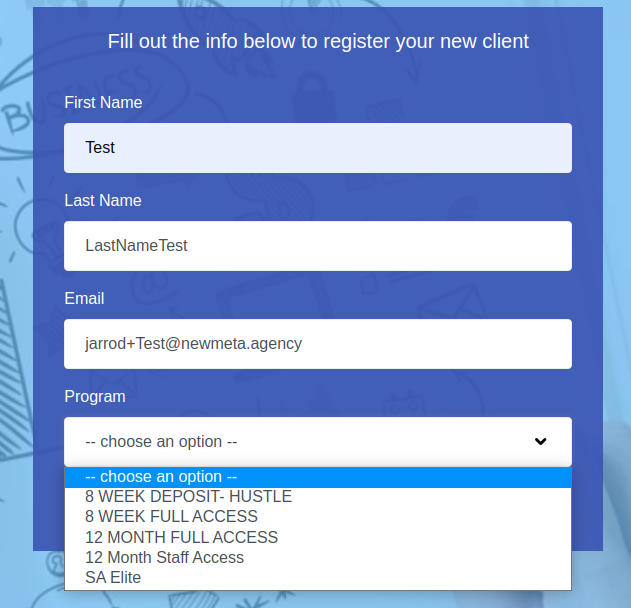
The ONLY thing the EG admin team has to manually set up is student access to the pricing app but you don’t need to give us the info we have set it up so we automatically get the notification and set it up as soon as the team is at a computer.
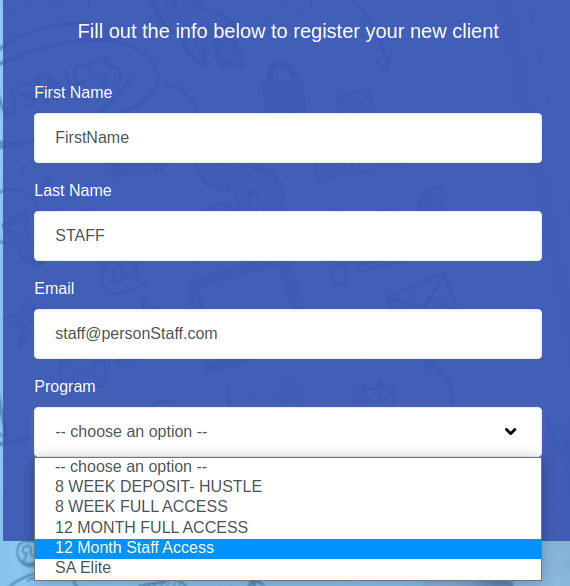
To set up a staff account use the same form you used for the new student account. Setting up a new student’s staff INFO needed for form: Student’s full name and type STAFF in capitals after their last name and a correct and different email address from their student login.
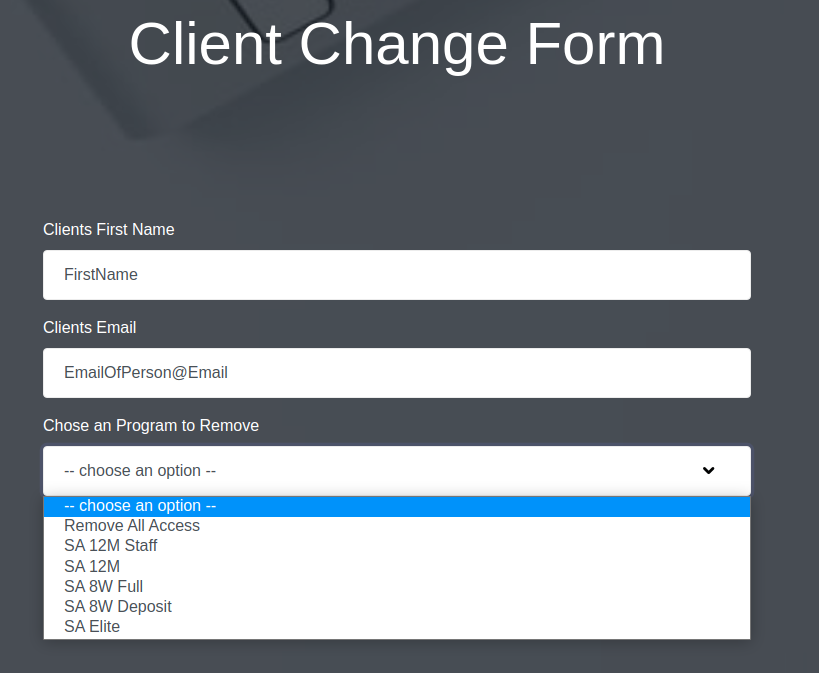
Program Access Removal Form To remove use the removal form you just need the correct email address and their name!
Please join the meeting from your computer, tablet or smartphone:
Phone dial in, for higher quality, dial the number based on your current location:
One tap mobile
+61871501149,,754525969# Australia
+61280156011, ,754525969# Australia
Dial by your location
+61 8 7150 1149 Australia
+64 9 801 1188
New Zealand
Meeting ID: 754 525 969
First check they are using Chrome or Firefox as their browser and that it is up to date.
Chrome and Firefox are the most compatible with our website and the app.
If they are still experiencing an issue please use the
Tech Support form
and email it to
Group and individual student calls:
Zoom meetings. This app can be set to automatically start recording and you do not have to use the video function. Also has a really easy to use share screen feature that can be used to share both yours or your students screen for any tech support or reviewing tracking docs ect.
CRM Customer Relationship Management:
Keep (Infusionsoft). Used for sending broadcast email, managing client information, tracking events they attend and any gifts/books given by Emma, lead management (using integration software such as Zapier), access to membership site (using integration software such as membrarium).
Website:
WordPress.
Direct Debit Payment Portal:
Ezidebit.
Document Signing:
Docusign
Internal Office Communication:
Slack.
Project Management
: Wrike
Bookkeeping:
Quickbooks
Post automation:
Hootsuite
Event RSVP tracking:
Google forms and Typeform. Google forms is great for forms where you just need basic information without too many options. Typeform is good for forms where there are multiple options that don’t need to be answered based on previous answers (additional attendee question if answered no sends you straight onto the next section without having to keep going through further attendee questions).
Artwork for facebook posts:
Depositphotos and Canva. Depositphotos is good for high quality royalty free images. Canva does have a large selection of free to use images and you can pay for their paid images on a 1 use basis.
If you get leads that come through that aren’t salon owners – just ask if they are ok if you pass their details to your business mentor Emma as she’s helped you so much and helps lots of different industries, so she may be able to help you too.
Remember – mission is to help as many people as possible that want help! If Emma can’t help them either she may know someone that can via her connections!
If you have a student who’s salon is based in New Zealand you just need to let the EG admin team know ASAP as their account for the pricing app will be configured for NZ GST ect. Nothing else is different your contract is in AUD and Ezidebit will do the conversion for you.